
02 · Smart Estimating
Configure once · Enforce forever
Smart estimating with custom questions.
Create filters and dynamic questions to ensure accurate construction — based on material type, fittings, certification, seals and more. Only valid combinations can be chosen, so every quote and every drawing is built inside the tested scope. Consistency across the team. Fewer errors. Less training.
Every choice on a fire-door · guided by dynamic questions
⚠ Warning symbols alert the user instantly if a choice falls outside the evidence you hold — stopping the issue before it reaches the shop floor.
What custom questions enforce
Material type
Core, lipping, leaf and frame species — only options backed by your evidence appear.
Fittings compatibility
Hinges, closers, push / pull plates, latches — filtered by the doorset configuration in real time.
Certification & fire rating
FD30 / FD60 / beyond — rating cascades down through every downstream choice automatically.
Seals & smoke
Intumescent, smoke and threshold seals — positions, widths and types tied to the tested scope.
Glazing & apertures
Aperture size, position and glazing system — constrained to valid combinations for the rating.
Signage & ancillaries
Kick plates, door closer, air transfer grille, signage — only options compatible with the leaf.
Saved templates
Visual drill-down · pick, tweak, price.
Pre-built options for commercial doors — select, customise and save your own. New estimators quote confidently from day one.
Dynamic descriptions
Quotes that describe themselves.
Fittings, fire ratings, finishes and seals are merged into the quote automatically — accurate, detailed, professional, with no manual typing.
Out-of-scope alerts
Stopped at the quote — not the shop floor.
Warning flags fire the moment a configuration drifts outside your evidence — caught by the estimator, not an auditor later.
03 · Anatomy
The variables that move a doorset outside its tested scope
Fire-door performance lives in the details.
Small deviations — reduced lipping thickness, an oversized glazing aperture, the wrong intumescent — can take a doorset outside standards such as EN 1634-1 and BS 476-22. JMS 3D Pro models every variable in one place, so your team can see — and your auditor can check — exactly what has been specified.
Cross-section · wrapped / encapsulated doorset
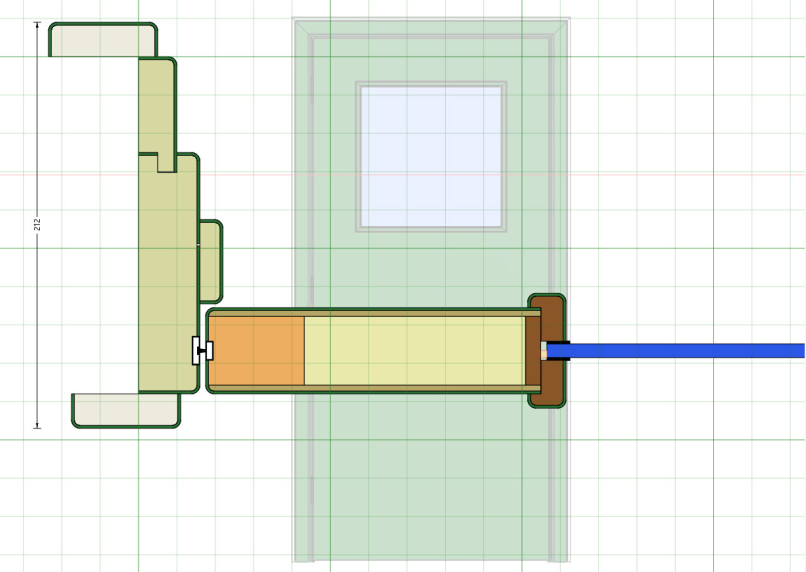
Live cross-section rendered from the 3D Pro model — dimensions come directly from the configured doorset.
What the model captures
Every parameter that sits inside the tested scope — configured in one place, visible on the drawing.
- · Core type & density
- · Lipping species & thickness
- · Intumescent specification
- · Smoke seal position
- · Aperture size & position
- · Glazing system & beads
- · Fittings preparation
- · Hinge count & spacing
Your team — and your auditor — can check the configured parameters against the evidence you hold under EN 1634-1, BS 476-22 and your field of application.
Core
Rated core, correct density
FD30, FD60 and beyond — core type and density sit at the heart of the tested scope. 3D Pro tracks every option you have evidence for.
Lipping
Species, thickness, tolerance
Reducing a lipping by even a couple of millimetres can take a doorset outside its evidence. Lipping parameters are modelled, not assumed.
Seals
Intumescent & smoke
Seal widths, positions and whether intumescent is fitted into the leaf or frame — all part of the configured model.
Aperture
Glazing & vision panels
Aperture size, position and spacing to the lock edge — 3D Pro captures what's been designed so it can be checked against the test evidence.
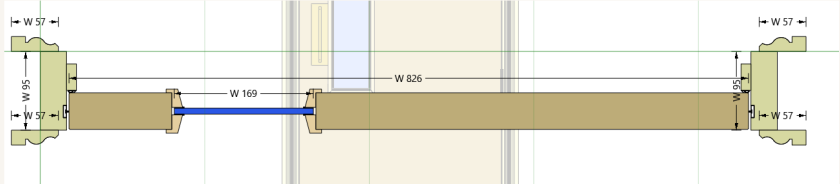
Horizontal cross-section
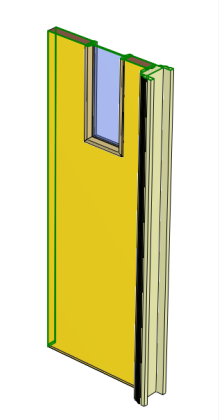
Isometric · leaf & frame
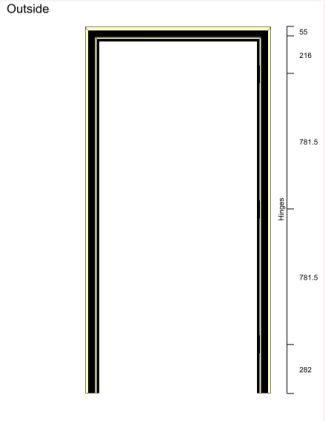
Setting out · hinge positions
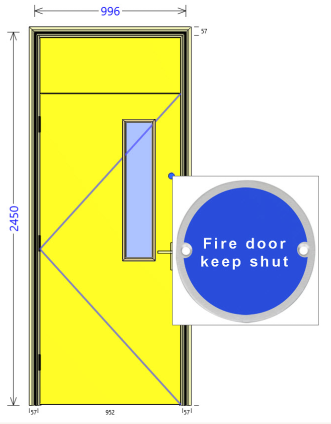
Elevation · frame & architrave
04 · Workflow
One model · every stage
From fire-door configuration straight to your CNC — without a single re-entry.
Configure
Build the doorset from cores, lippings, apertures, seals and fittings — all parameterised.
Visualise
Full 3D model plus elevations and live cross-sections for any line on the drawing.
Cutting lists
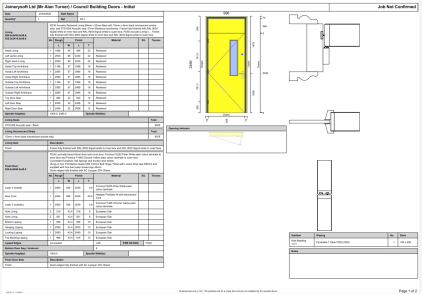
Timber, sheet goods and hardware lists generated straight from the model.
Excel ⇄
Two-way Excel link — import price books and hardware schedules, export cut lists and BOMs.
CNC linking
Machine files, tool paths and setting-out sheets generated from the model and sent direct to your CNC or CAM system.
Data merge
Customer data merged into quotes, drawings and documents automatically.
Direct CNC linking
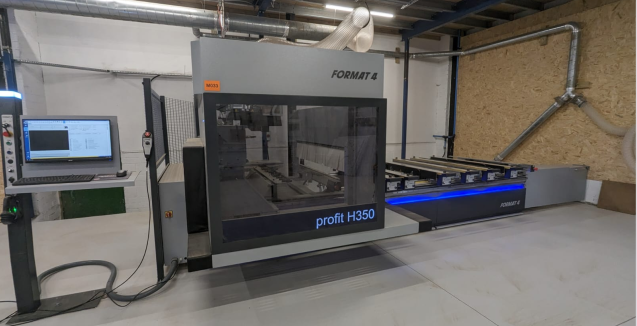
Machine files generated from the model — no separate CAD step, no re-entry on the shop floor. 3D Pro outputs cutting data, tool paths and setting-out sheets straight to your CAM or CNC system (Homag, Biesse, SCM and others).
3D Pro
↓
CNC / CAM
Works with Excel
Import price lists and hardware schedules straight from spreadsheets. Export cut lists, BOMs and job data back out.
Door schedule
Cutting list & job sheet
Straight to the CNC
See it · Step 05 · CNC linking
A project, sent straight from JMS to an SCM Accord 5-axis.
Watch James Tanner upload a project from JMS straight to his SCM Accord 5-axis CNC — no separate CAD step, no shop-floor re-entry. The doorset modelled in JMS is the doorset the machine cuts.
James Tanner · James Tanner Joinery
5:23 · JMS 3D Pro → SCM Accord 5-axis CNC · workshop demo
The Outcome
What you draw is what the shop floor builds — every time.
1×
Model
One structured model drives every document and output.
0×
Re-entry
No retyping between drawing, cutting list and CNC.
∞
Variants
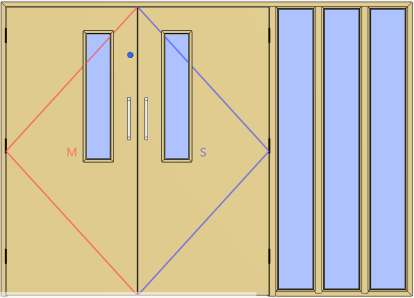
FD30, FD60, double leaves, apertures, sidelights — all parameterised.
Since implementing JMS 3D Pro Commercial Doors at EDSL, we've seen a clear improvement in how we quote and manufacture, and we're using it more and more as the system continues to evolve. The ability to customise reports and even integrate directly with our group's MIS system has been a real advantage, and after looking at other options, Joinerysoft stood out as the best fit — we're excited to see the upcoming developments around stock control, purchasing, and compliance.
Lee Agus · EDSL Group
Next Step
See JMS 3D Pro in action.
+44 (0)1608 643 302
Book a Demo